What is WaaS?
WaaS is an open-source, Kubernetes-native Workspace-as-a-Service
platform. You helm install it on any cluster — the only prerequisite is
cert-manager — and give people a full remote
desktop, accessible from any browser:
- Linux desktops run as pods and are reached over VNC (or KasmVNC, for the official Kasm images);
- Windows desktops run as KubeVirt VMs and are reached over RDP — KubeVirt is auto-detected, never required. (Not Implemented Yet)
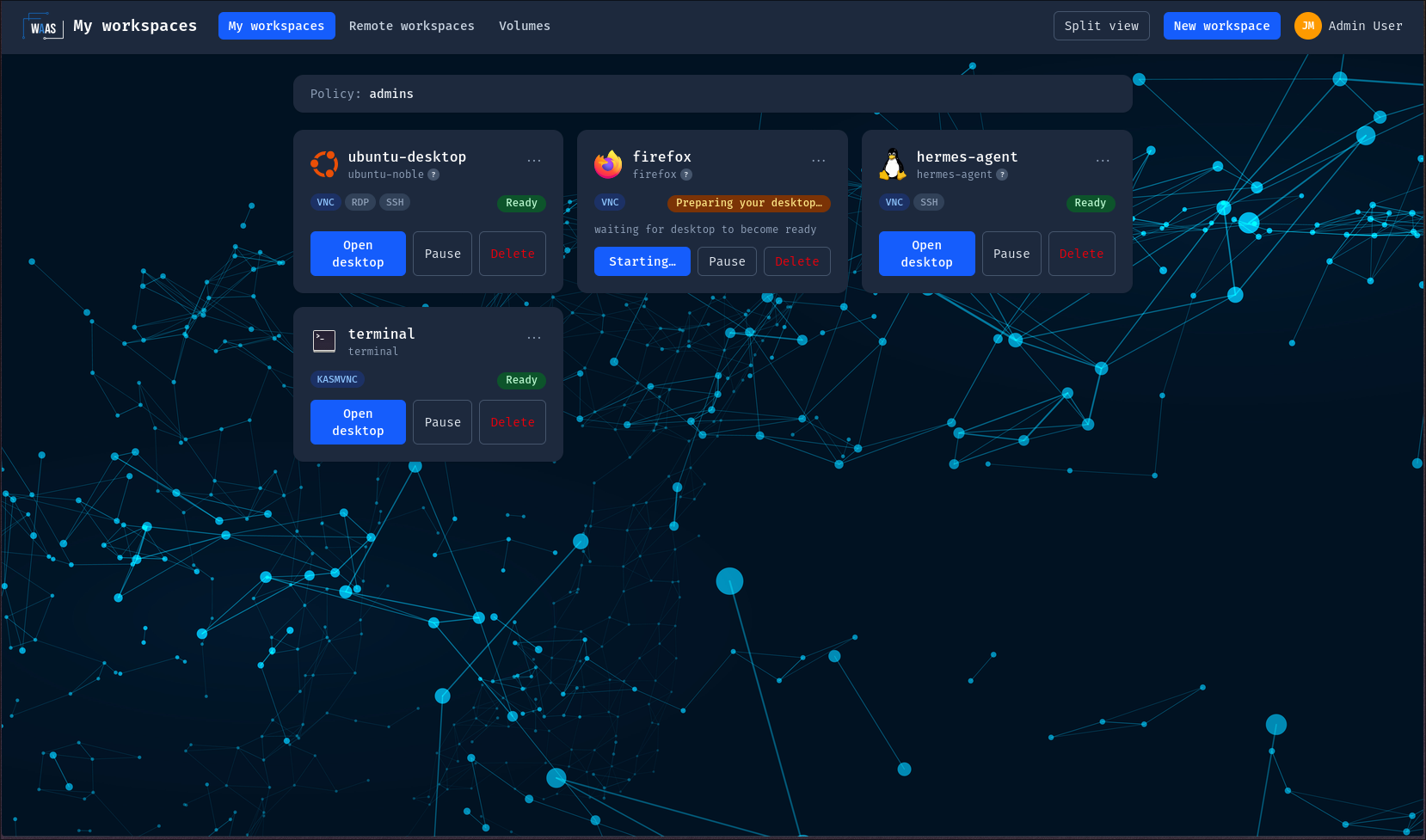
Workspaces as code, GitOps-first
A workspace is a Kubernetes resource. You create it with kubectl apply, ArgoCD or Flux like anything else in the cluster — or from the
web portal, which goes through the exact same CRDs. Four CRDs (group
waas.xorhub.io/v1alpha1) drive the whole platform:
| CRD | Short name | Role |
|---|---|---|
Workspace | — | One user's desktop: which template, who owns it, paused or running. |
WorkspaceTemplate | — | The shape of a desktop: image, sizing, protocols, workload kind, schedule, what users may override. |
WorkspacePolicy | wsp | Admin guardrails: who may create how many workspaces, of which images, with which limits. |
WorkspaceImage | wsi | A catalog entry: one admin-approved image (or registry) with its protocols and sizing bounds. |
Governance is enforced server-side by an admission webhook — going
straight at the Kubernetes API with kubectl gives you the same rules
as the portal, never fewer.
Architecture
What each piece does, from an operator's point of view:
- The API server is the platform's REST API: authentication (local accounts and OIDC SSO), RBAC, quotas, audit. It creates workspaces only through the CRDs — never pods directly.
- The operator reconciles
Workspace/WorkspaceTemplateresources into Deployments, Services and PVCs (Linux) or KubeVirt VMs (Windows — Not Implemented Yet). It talks to the Kubernetes API only. - wwt, the WebSocket proxy, validates your session JWT before opening any TCP connection to guacd. guacd — the Apache Guacamole daemon that speaks VNC to the desktops, and VNC, RDP or SSH to remote machines — stays ClusterIP-only and is never exposed outside the cluster.
- The frontend is the React portal (user dashboard + admin console). It only ever talks to the API server.
These boundaries are hard rules of the platform, not implementation
details — they are what makes the GitOps path (plain kubectl apply)
a first-class citizen rather than a side door.
Where the desktop images come from
Linux workspaces run OCI images from the sibling
waas-workspace-images project, built on the
core-* images of waas-core-images:
Kasm-style, 100% OSS desktop images (TigerVNC over VNC only, XFCE,
per-app kiosks) built to run unprivileged with a read-only
root filesystem. You can also approve any third-party image that
honors the image contract,
or build your own.
Next steps
- Quickstart — install WaaS and open your first desktop.
- Concepts — templates, lifecycle, policies, volumes.
- CRD reference — every field, generated from the schemas.
WaaS is Apache-2.0 licensed — community edition, free forever.