Day-2 administration
Once WaaS is installed and governance is seeded, running the platform is mostly reviewing — the operator reconciles, the sweepers pause and clean up, the webhook enforces. This page maps what the two portal views offer, then walks the routine tasks.
The two views
User view (the portal)
What every authenticated user gets:
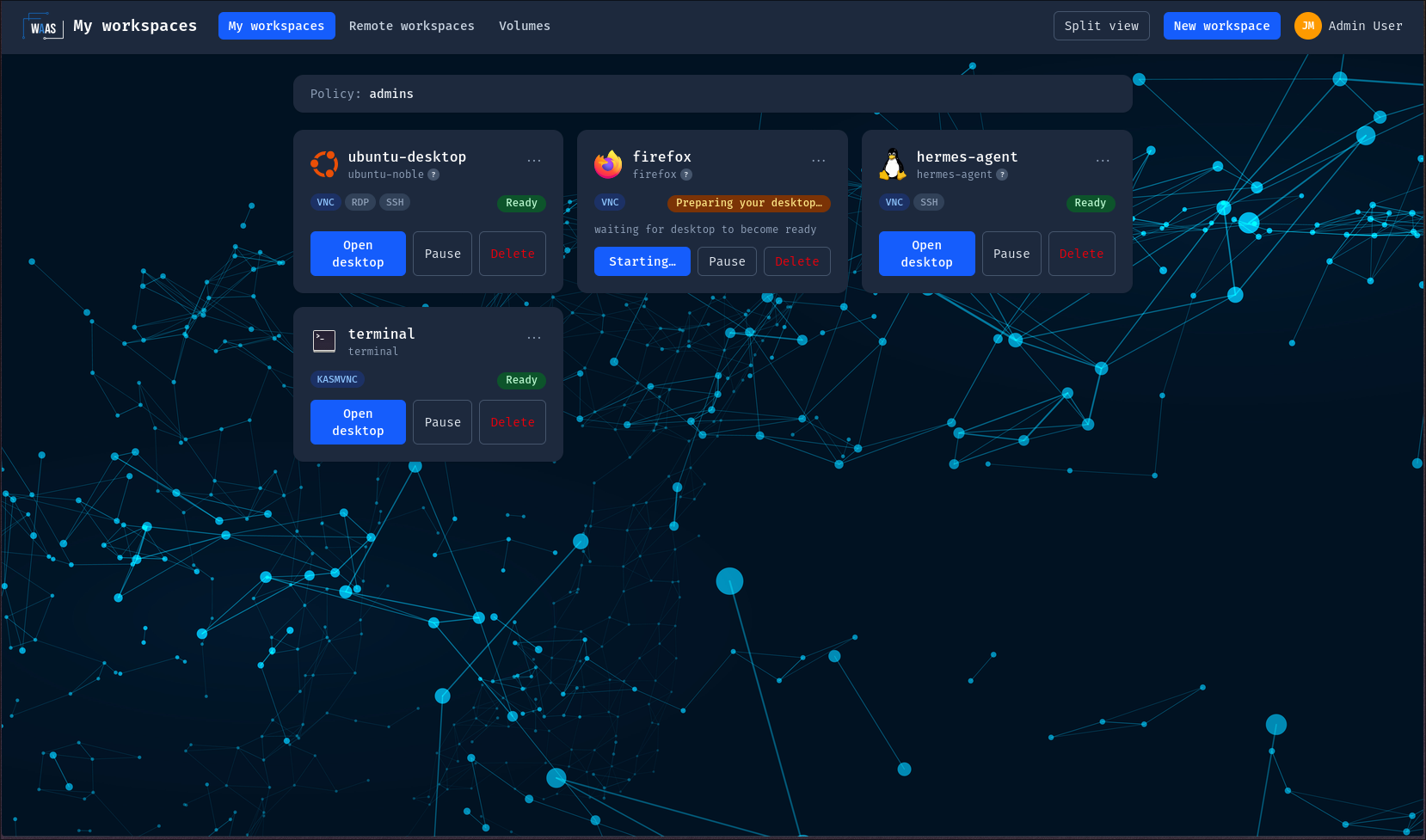
- Dashboard: one card per workspace — phase, protocol, next scheduled transition ("⏰ next stop …"), the "update pending" reload badge, pause/resume/delete actions. Users can group cards into folders and open up to three desktops side by side (split view).
- Creation dialog: template picker (icons and descriptions synced from the catalog), sizing sliders pre-filled from the image or policy defaults, the resolved target namespace, and — only for users whose effective allow-list permits it — the Advanced (template overrides) panel.
- Workspace detail: Events panel (the CR's Kubernetes events aggregated with its children's), connection settings (protocol and the delegated guacd parameters, re-validated server-side at every connect).
- Volumes tab: their retained home volumes — provenance, size, delete (with confirmation; retained volumes count against their storage quota).
- Quota: the home page shows used vs limits, with the "of which X retained" storage breakdown.
Admin view (the console)
Everything above, plus:
- Fleet dashboard: every workspace on the platform, with a Volumes tab (all retained volumes, audited deletion) and a Remote workspaces tab (owner, target, protocol, MAC/WoL, last connection — metadata only, never credentials).
- Users page: create/edit users, group chips (known groups = policy subjects ∪ existing users' groups, plus free entry), role management, and the effective-policy debugger — it replays the exact resolution the webhook performs: every candidate policy, its match outcome, the winner, tie warnings. Your first stop for any "why can't this user…" question.
- Catalog editor (
WorkspaceImage) and policy editor (WorkspacePolicy): YAML editors pre-filled with the whole schema (generated server-side, never a stale hand-maintained template), plus the enable/disable kill-switch per image. - Usage view for capacity questions.
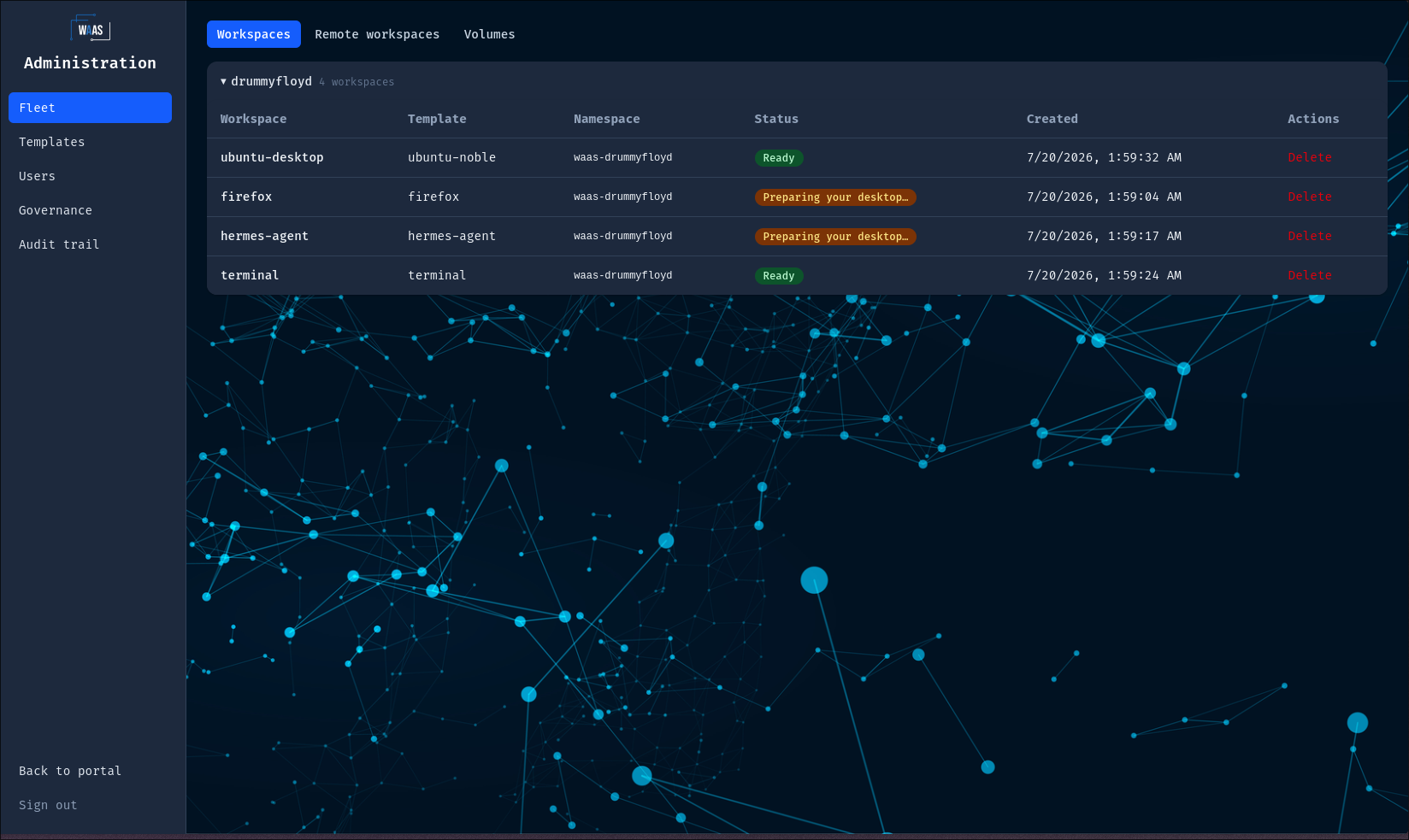
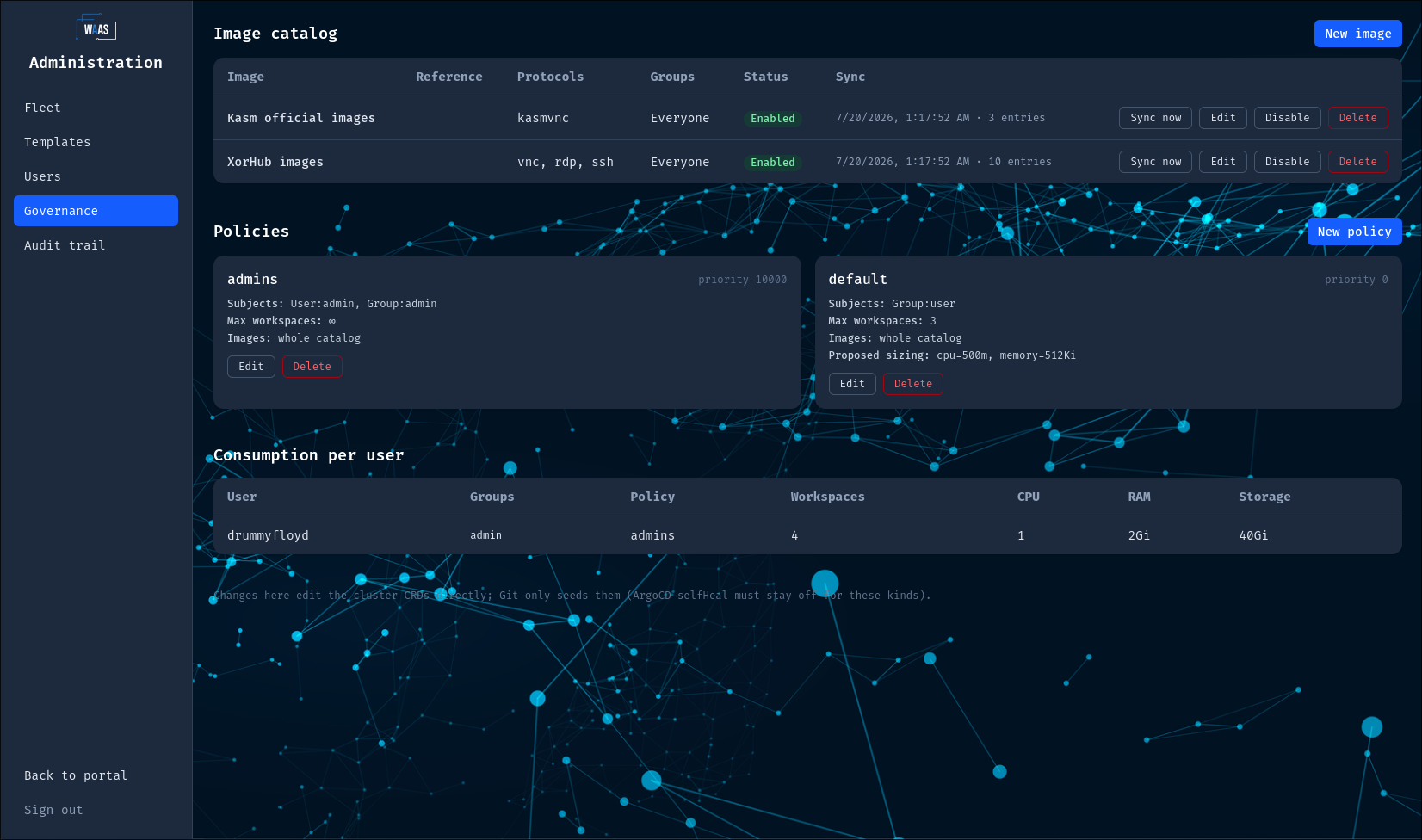
Remember the writing model: the console edits the CRs directly. If those CRs are GitOps-managed, a console edit is a manual override the next sync overwrites — for quick actions (disable an image, bump a quota) that's fine, just mirror the change in Git.
Routine tasks
Catalog care
-
Approve a new image: add the
WorkspaceImage(console or Git), exact ref, digest pinned if you run per-image entries. Without the catalog entry, templates using the image fail withImageNotInCatalog. -
Emergency-disable an image (CVE, misbehavior):
kubectl patch wsi <name> --type=merge -p '{"spec":{"enabled":false}}'New workspaces are blocked instantly; running ones keep working — pause them from the Fleet view if the image is actively dangerous.
-
If you kept the bootstrap registry-wide entry, new official images appear in the picker on their own (catalog sync) — review the waas-workspace-images releases rather than the picker.
-
A new or repointed image syncs immediately — console save or
kubectl apply, both show the discovered entries within seconds, and the catalog table surfaceslastSyncTime, the entry count andlastSyncError. Use Sync now when the catalog file was re-published under the same URL (nothing can observe that), or to retry after a failed fetch. See the sync triggers.
Policy and quota care
- Quota changes are a policy edit — they apply to new creations/resumes immediately, running workspaces are untouched until their next spec change (grandfathering; they still count toward quotas).
- Diagnose access questions with the effective-policy debugger before
touching priorities. An empty group mirror (user matched only by the
defaultpolicy) means the user hasn't done an SSO login since the group was added — or needs an admin edit of their groups. - Keep the priority conventions: 0 default, 100–999 groups, 1000+ per-user exceptions, 10000 admins.
Fleet hygiene
- Stuck deletions: a workspace in
Terminatingcarries aTeardownFailedevent/condition with the cause — fix the cause and deletion resumes alone; the finalizer bypass is a last resort (procedure). - Failed workspaces: the
Readycondition carries the denial reason code — the troubleshooting table maps each one to its fix. - Volumes: retained volumes live until their owner (or you, from Fleet → Volumes, audited) deletes them — and they count against the owner's storage quota, so "quota full" complaints often end there.
- The waas repo ships
hack/audit-orphans.shfor a periodic sweep of anything a bypassed finalizer or pre-feature deletion left behind.
People care
- With OIDC configured, the IdP is the source of truth: the groups
claim overwrites the mirror at every SSO login, and
adminGroupssyncs the admin role. Local login stays available as break-glass unless you setdisableLocalLogin(see Configuration). - Manual group edits (Users page) are the path when OIDC is not configured — and are overwritten at the user's next SSO login when it is.
- Keep a second administrator. Demoting or deactivating the last
active admin is refused, because nothing in the product could undo it —
WAAS_ADMIN_PASSWORDonly seeds an empty user table, so not even a redeploy brings the role back. Promote the replacement first; the order matters. - Editing your own account signs you out immediately, by design: a role change, a deactivation or a password reset revokes every session of that account, yours included. From the console that means a self-demotion (the edit dialog carries role, quota and groups); deactivation and password reset are API-only on an existing account. Expect to sign in again — with the new rights — right after doing it. Editing someone else's account never touches your own session.
Watching the platform
- Audit: the api-server journals who did what
(
workspace.created/denied/…,catalog.image_*,policy.*, volume and remote-workspace events) — append-only, with client IP. - Metrics/dashboards: turn on
metrics.enabledplus ServiceMonitor/PodMonitor and the bundled Grafana dashboards (Configuration). - Events: every admission decision and phase transition is a
Kubernetes Event on the Workspace CR —
kubectl describe workspaceis always the ground truth.
Upgrades
helm upgrade waas oci://ghcr.io/xorhub/waas/charts/waas --version <chart-version>
CRDs ship with the chart; generated secrets survive upgrades. Running desktops are not restarted by a platform upgrade — workspaces pick up template-level changes at their next scale-up boundary (or via the reload badge).