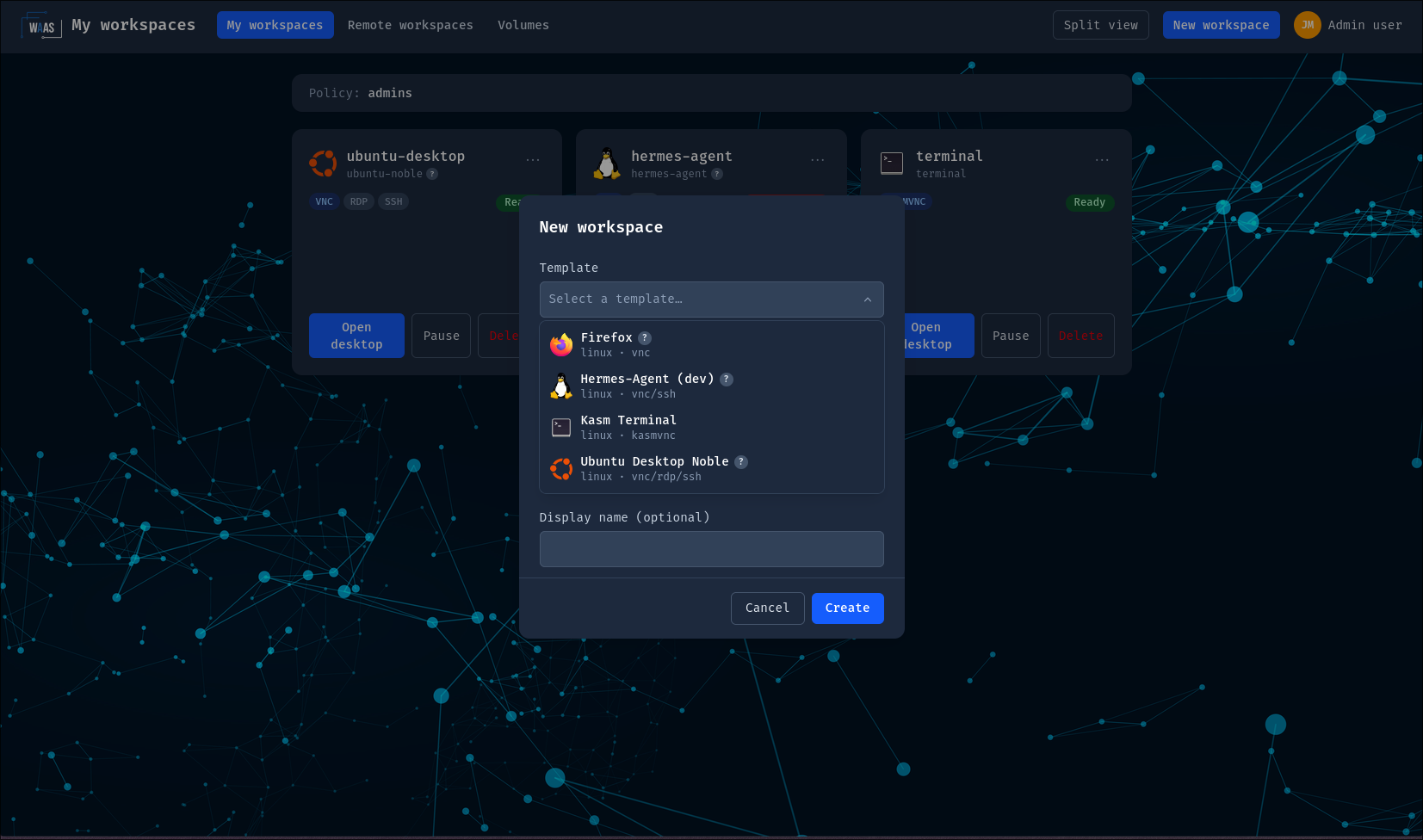
Templates and protocols
A WorkspaceTemplate is the
admin-authored shape of a desktop. This page covers its three big
levers: the workload, the protocols, and the overrides a
workspace creator may apply.
Workload
The template picks the workload kind and passes through the pod spec:
spec:
  workload:
    kind: Deployment # Deployment (default) | StatefulSet | Pod
    securityContext: {} # container-level
    podSecurityContext: {} # pod-level
    volumes: []
    volumeMounts: []
    nodeSelector: {}
    tolerations: []
    serviceAccountName: ""
- Deployment (default): 1 replica,
Recreatestrategy — the home PVC is RWO, two desktop pods must never overlap. - StatefulSet: stable identity.
- Pod: legacy bare-pod behavior.
The home PVC mount, protocol ports and probes stay platform-managed and cannot be overridden. Changing a template's workload kind never touches running workspaces — the new kind applies at the next provisioning.
Protocols
A template declares its connection protocols in guacd terms:
spec:
  protocols:
    - name: vnc # vnc | kasmvnc (linux) · rdp (reserved for windows)
      port: 5901
      default: true # first entry wins if none is marked
      params: # locked guacd connection parameters
        color-depth: "24"
      userParams: [color-depth, cursor] # user-tunable at connect time
      credentialsSecretRef: my-creds # optional explicit credentials
Which protocols a template may declare follows its os:
- a
linuxtemplate (a waas-workspace-images orkasmweb/*pod) declaresvncorkasmvnc.kasmvncis exclusive: it bypasses guacd entirely, so a template declaring it may declare no other protocol; rdpis reserved forwindowstemplates — KubeVirt VMs, which are Not Implemented Yet. The schema already knows the value, but there is no Windows workspace to write anos: windowstemplate for today.
The admission webhook denies rdp on a linux template (and kasmvnc
on a windows one) — see Troubleshooting
for the exact messages. One caveat when you check the generated
CRD reference: it is built
from the last released CRDs and still lists ssh in this enum — this
page is the current truth until the next release is synced there.
ssh is not an in-cluster protocol: a WorkspaceTemplate cannot
declare it. It is still very much part of WaaS — for
remote workspaces, where an off-cluster
machine you register is reached over ssh, vnc or rdp through the
same guacd chain.
The kasmvnc protocol is at an experimental stage. It may change
incompatibly or be removed at any time, without a deprecation
cycle. Don't build production templates on it — prefer vnc.
- With no
protocolsat all, one is synthesized fromos/port(linux →vnc:5901, windows →rdp:3389). - Every
paramskey is validated at admission against the platform's parameter registry: unknown names and platform-owned parameters (credentials, gateways,enable-sftp, recording, …) are rejected for every caller, kubectl included. - The workspace Service exposes the declared port and
status.protocolsreports the effective entry. At connect time users may tune the parameter names delegated byuserParams(entries are exact names or whole categories likecat:audio).
Which protocol should a Linux template use?
VNC — it is the only protocol a
waas-workspace-images desktop serves (no xrdp, no sshd in
those images since 3.0.0). kasmvnc is for the official kasmweb/*
images and their native web client, under the experimental caveat
above. See the protocol capability matrix
below.
Credentials
Desktop credentials never live in a CR. Three levels, in precedence order:
credentialsSecretRef— explicit, always wins. Each protocol entry may name a Secret with the keysusernameandpassword(both optional). The api-server resolves it server-side when a session starts — the browser never sees the values. Ship it with External Secrets/Vault. On a linux template the same Secret typically also feeds the pod via envvalueFrom(WAAS_DESKTOP_PASSWORD) so both sides agree. For the future windows templates (Not Implemented Yet) this is the only option: the operator injects nothing into a KubeVirt VM, so therdpentry names the Secret holding the VM's own account. EnvvalueFromis a template-side channel — workspace overrides only ever carry literal values (see Creator overrides).- Generated per-workspace password — the default for
vncandkasmvnc(linux only) when nothing explicit is provided: the operator generates a random password per workspace, stores it in a Secret next to the CR, wires it into the pod, and the api-server resolves the same Secret at connect time. Zero template configuration. - Literal
WAAS_DESKTOP_PASSWORDwithdocker run— the standalone path for running a waas-workspace-images build outside the platform. Literal env passwords in a template are not read by the platform.
Rotation of generated credentials is create-only: delete the Secret and roll the workload; the operator never rotates on its own.
Usernames default per protocol when no credentials Secret sets one:
waas_user for vnc (the fixed account of every WaaS image) and
kasm_user for kasmvnc. rdp never defaults — a Windows VM has
no such account — so a windows template (Not Implemented Yet)
whose rdp entry names no Secret is refused at connect time with an
error saying so.
Creator overrides
The template decides what workspace creators may deviate:
spec:
  overrides:
    allowedFields:
      [
        env,
        resources,
        protocol,
        protocolParams,
        securityContext,
        podSecurityContext,
        volumes,
        nodeSelector,
        tolerations,
        schedule,
        placement,
        metadata,
      ]
    owner: alice # this platform user may override anything (template-side)
protocol is still an accepted value but has nothing left to choose:
a template declares a single protocol (vnc or kasmvnc on linux).
protocolParams is the override that matters at connect time.
Merge semantics: env/volumes/mounts merge by name (workspace wins),
nodeSelector merges key-wise, tolerations append, security contexts
replace. Metadata (labels/annotations) merges under the
template's workload metadata — platform and template keys always win,
reserved domains are rejected. A schedule override replaces the
template's schedule wholesale.
On top of the template's list, the user's policy may restrict further — the effective allow-list is the intersection of both. Enforcement is server-side (admission webhook + a reconciler re-check), and every applied override is audited (field and env var names, never values).
An override env entry may set only a literal value. valueFrom
sources — secretKeyRef, configMapKeyRef, fieldRef,
resourceFieldRef — are rejected in a workspace override (by the
same admission webhook that enforces the allow-list, and stripped again
by the operator when the workload is rendered). Wiring a Secret into a
desktop is a template decision: the admin who authors the template
references it through env valueFrom or
credentialsSecretRef, both resolved against the
workspace's own namespace. Through env, therefore, a workspace creator
tunes values and never references Secrets.
This holds for env only. A delegated volumes override reaches
Secrets directly, by mounting them — see what delegating that right
grants.
Allow-listing volumes lets users mount arbitrary volume sources —
including hostPath. Only enable it on templates aimed at trusted
groups.
In the portal, users who hold override rights see an Advanced (template overrides) panel in the creation dialog; everyone else never sees it. The panel mirrors the webhook's decision — it never replaces it. Part of the set is also editable after creation, from the workspace's settings tab: env, nodeSelector, tolerations, resources, metadata and schedule (applied by rollout — clearing one falls back to the template). Security contexts and volumes stay creation-time-only — see Accepted limitations.
Protocol × feature matrix
The in-cluster connection paths: VNC to a linux pod, brokered by guacd; KasmVNC, reverse-proxied by wwt; and — once Windows workspaces exist (Not Implemented Yet) — RDP to a KubeVirt VM through guacd.
| Feature | VNC (linux pod) | RDP (windows VM — Not Implemented Yet) | KasmVNC (experimental) |
|---|---|---|---|
| Audio playback | ✅ (enable-audio + exposeAudioPort) | ⚙️ guacd's RDP audio channel (disable-audio); no exposeAudioPort, PulseAudio is a WaaS-image thing | ❌ |
| Governed clipboard | ✅ live | ✅ by design, text only (same filter) — not verified in a live session | ✅ container-side |
| Persistent home | ✅ | ✅ | ✅ |
| File transfer | 🚫 platform-blocked | 🚫 | 🚫 |
| Session recording | 🚫 platform-blocked | 🚫 | ❌ |
| Keyboard layout | N/A (direct keysyms) | ✅ server-layout, auto-detected from the browser locale | N/A |
| Dynamic resize | ✅ | ❌ no pod to resize in; guacd-native resize-method is the only candidate, unverified | ✅ native |
Legend: ✅ supported · ⚙️ advanced/YAML only · 🚫 deliberately blocked for everyone (until the feature ships with its own policy gate) · ❌ absent · N/A not applicable.
Windows workspaces are Not Implemented Yet. The column describes what guacd will do against a KubeVirt VM's own RDP server; none of it has been exercised in a live session, so read it as the intended behavior, not as something you can set up today.
Server-side audio needs two things: the enable-audio session
parameter and exposeAudioPort: true on the vnc protocol entry —
that opens PulseAudio's port 4713 on the container and Service
(cluster-internal only). Without the port, sessions degrade silently:
video OK, no sound.
Remote workspaces run every guacd
protocol — vnc, rdp and ssh — with the same clipboard filter;
kasmvnc is refused there.
Portal comfort features
Shipped alongside templates and worth knowing about: split view (1–3 desktops side by side with draggable dividers), folders to group workspaces, per-user connection-parameter preferences (re-validated server-side at every connect), and light/dark theme.